How to build a website through a conversation
Three steps from idea to finished site — and then you just keep asking for changes.
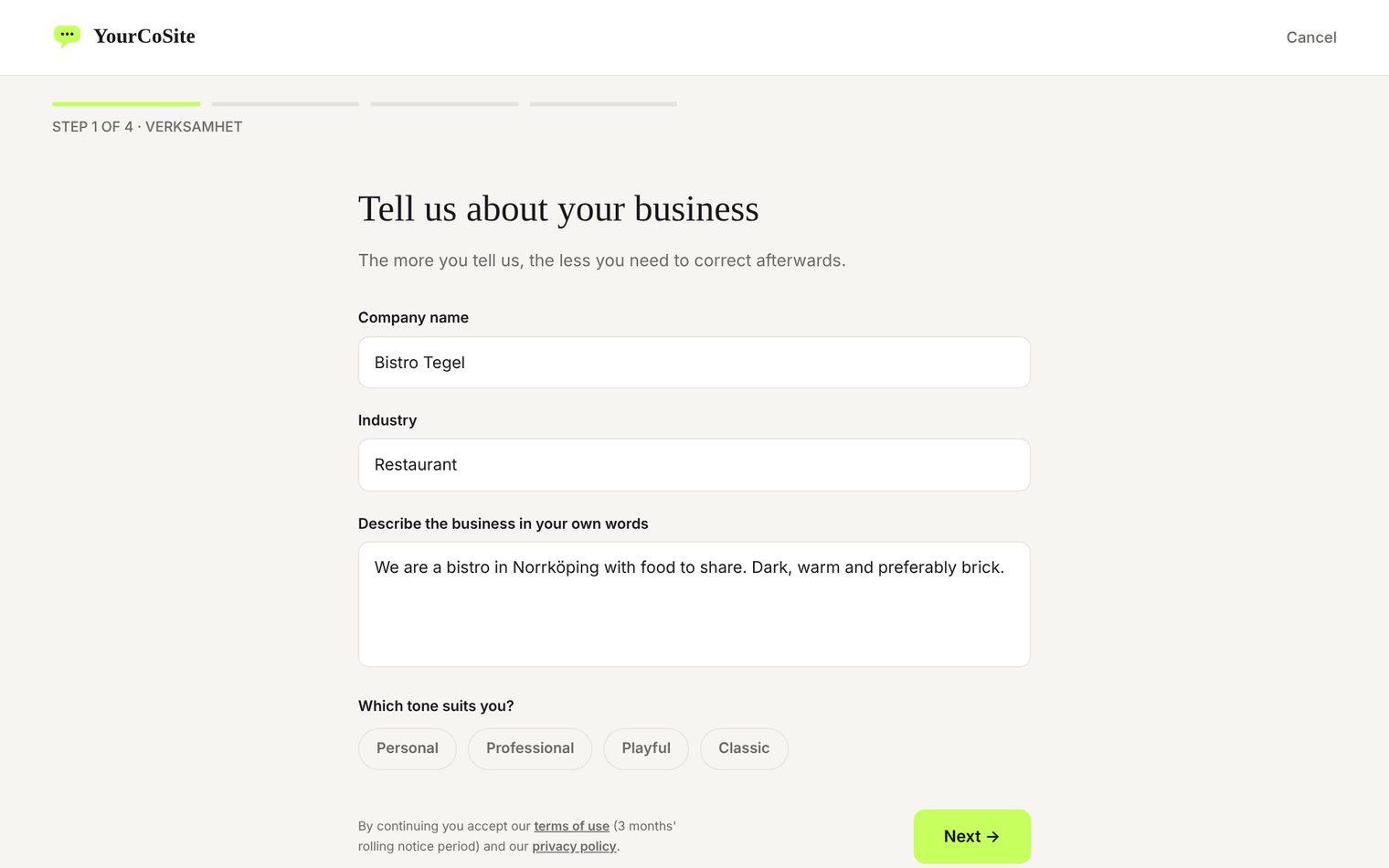
Tell us about you
Name, tone, colours and your own images — as much or as little as you like. You answer a few simple questions about your business, just like telling a colleague.
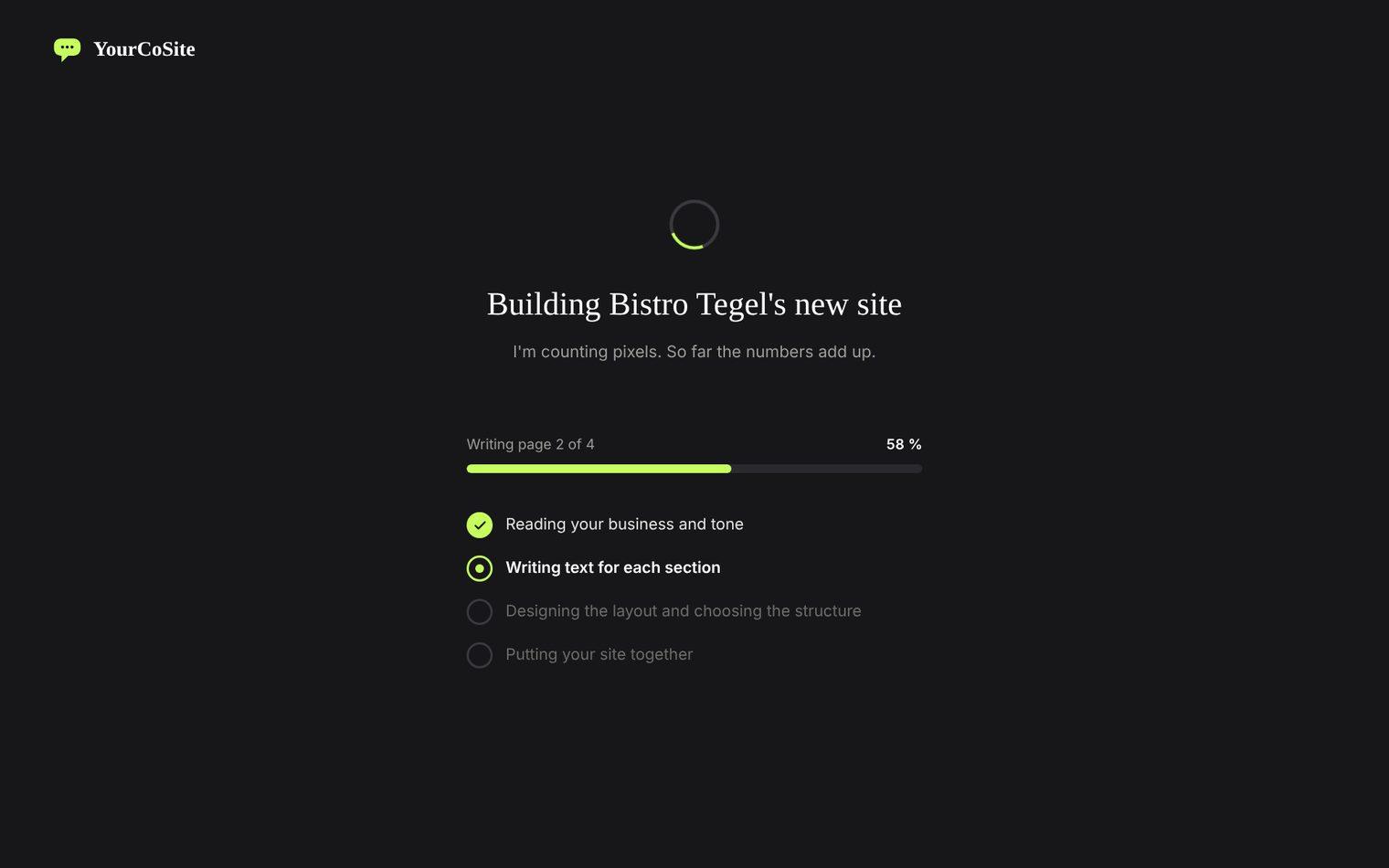
We build the site
Text, images and design are put together quickly and efficiently from what you've told us — done in minutes, not weeks.
Continue in the conversation
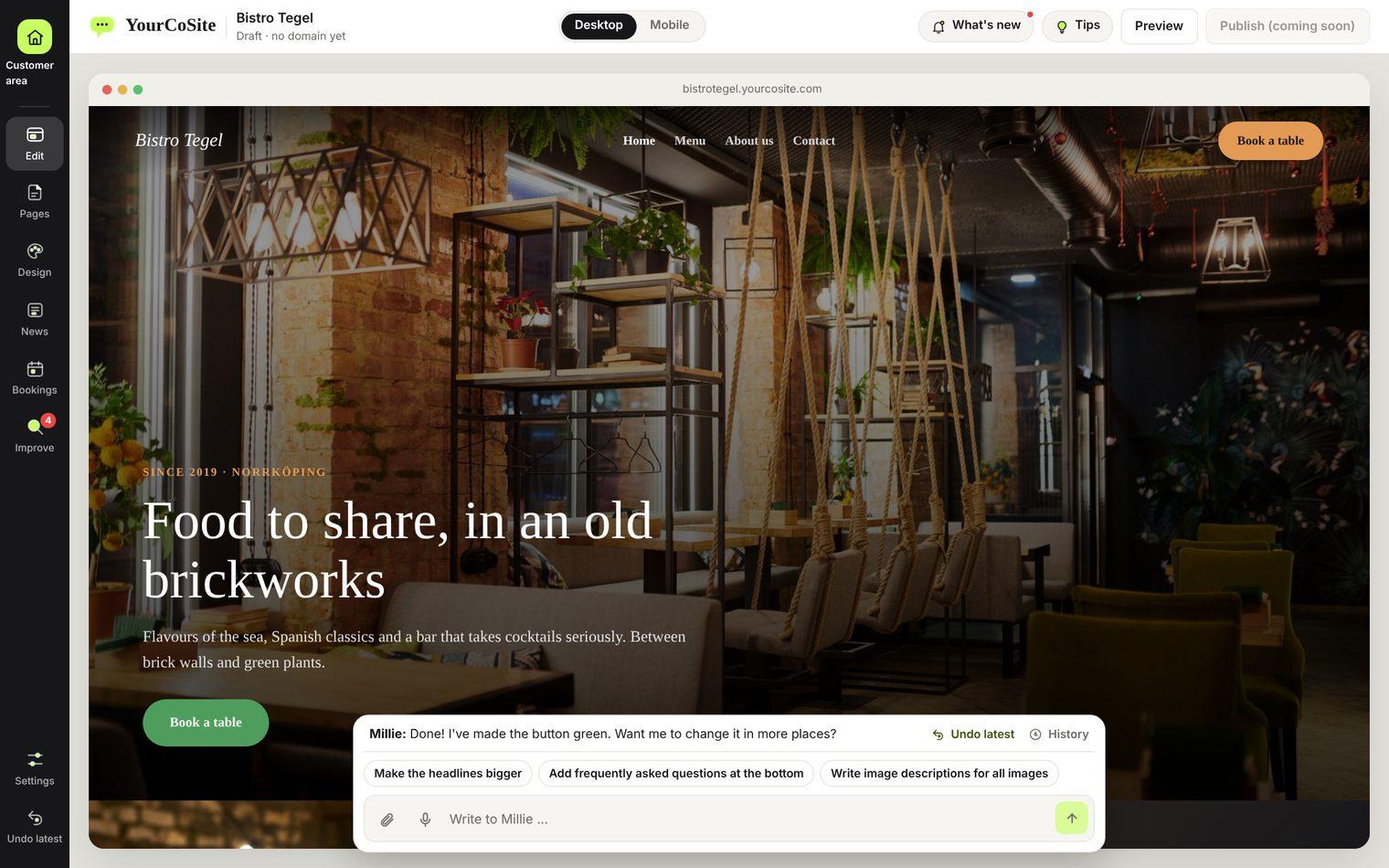
Ask for changes any time — and see them straight away on the site. No code, no hassle, just a conversation.
Everything you can do in the conversation
Millie always sits at the bottom of the editor. Here is what surrounds her.
The site in several languages
Translate the whole site into up to three more languages with one click, and switch between them with the flags.
Select and ask
Click a text, image or button and you get suggestions that fit exactly that. Then write what you want to change.
Undo and History
Undo the last change with one click, and browse the whole conversation with Millie in History.
Previous versions
A copy of the site is saved before every change. Go back to how it looked a little while ago.
Pages in one place
Add, rename, move and delete pages right in the editor, without leaving the conversation.
News
Write an article in a window that opens on top of the site, with categories and a preview.
Match schedule and results
Add matches and results by hand, or tell Millie. Visitors see upcoming matches and how the season is going.
Bookings
Receive bookings for times and packages, and manage them in the editor.
Optimise for Google
Pick a keyword and Millie rewrites the text so Google can find it, and asks if she wonders about anything.
Improve
A checklist that shows what could be better on the site. Fix it with Millie in one click.
Your images
Upload images once. Millie can use them, swap them and write image captions for you.
Design in one place
Change colours, fonts, buttons and layout for the whole site. Forms and buttons follow along.
Millie tells it like it is
If she can't do something she says so straight, and you can send the request to us.
You don't need to think about anything else
The technical and legal parts are already sorted. You just tell us what the site should say.
- Own domain
- SSL and hosting
- Adapted for mobile, tablet and desktop
- Cookie banner where the visitor chooses for themselves
- Privacy policy — uploaded or generated
- Contact form where the responses are collected with you
- Visitor statistics without cookies
- News module with your own articles
- Map, gallery, FAQ and video
- Links to your social media
- Google Analytics and Meta Pixel
- Preview before everything goes live
Say it — and it's done
Texts, images, colours, pages, forms, news, map, video… Write as you would say it to a colleague, and the site changes right away.
- ”Change the headline on the home page”
- ”Shorten the text in About us”
- ”Rewrite everything in a friendlier way”
- ”Add a page about our services”
- ”Change the image in the first section”
- ”Add a section with our testimonials”
- ”Make only this box orange”
- ”Make the button green”
- ”Add an FAQ section”
- ”Delete the Pricing page”
- ”Move contact to the bottom”
- ”Add an image gallery”
- ”Make the About us page dark”
- ”Switch to a serif font”
- ”Add a map to the shop”
- ”Embed our YouTube film”
- ”Add a contact form”
- ”Write a news article about our new opening hours”
- ”Let Read more link to the contact page”
- ”Connect Google Analytics”
- ”Change the accent colour to blue”
- ”Add three boxes with our services”
- ”Make the page a bit calmer in tone”
- ”Add a button that leads to Book a time”
…and that's just the beginning. You can keep asking for changes for as long as you like.
See what others have built
Three finished example sites — built with the same tool you would use.


Ready to get started?
It takes less than a minute to create an account and start telling us about your business.
Get started →